![SignalPET White-1.png]](https://docs.signalpet.com/hs-fs/hubfs/SignalPET%20White-1.png?height=27&name=SignalPET%20White-1.png)
The SignalPET - Provet API integration allows SignalPET reports to be automatically pushed directly into the patient page in Provet. This helps keep all diagnostic insights centralized in one place, reduces manual uploads, and ensures your team can easily access reports within the patient’s medical record.
Choose which reports are sent to Provet
Veterinarians can control which types of SignalPET reports are included in the integration. You can select the report types that best fit your clinic’s workflow, ensuring only relevant reports are automatically added to the Provet patient page.
How to enable the integration in Provet
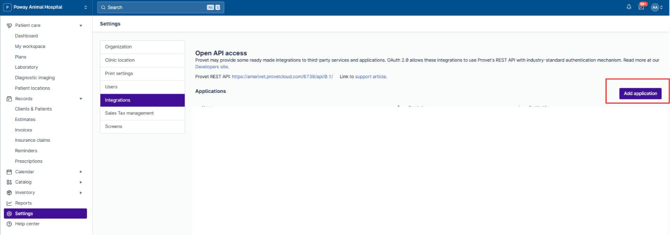
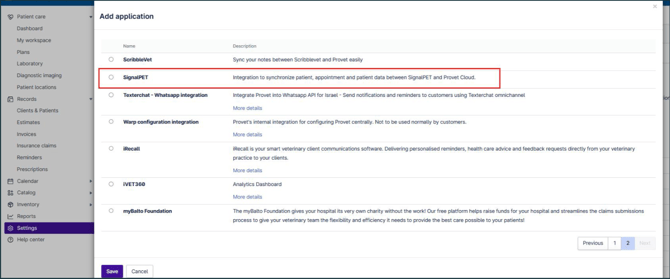
Enabling the SignalPET integration takes just a few clicks (screenshots from Provet below):
-
In Provet, go to Settings
- Navigate to Integration
- Click Add Application
- Select the SignalPET application
- Click Save
What happens next?
- Choose which reports are sent to Provet.
- After the application is added, no additional setup is required from your side.
- SignalPET will use the securely shared credentials to complete the integration setup for your account.
Once enabled:
- SignalPET reports will be pushed directly into the relevant Provet patient page
- Your workflow remains uninterrupted, with no manual uploads needed